Latest iPool Features

Even more storage space for your media files
We have again significantly increased the storage space in all iPool subscription plans.
Benefit from double the capacity for your music, cover images, band photos, booklets and a whole range of other media files. And all that at no extra charge.
Making your music available in an even higher quality is just one way you can use this additional storage capacity. Or you can keep your releases in your iPool for a longer period of time so that your media and business partners can access older releases as well.






iPool Version 5.5.2
Enhanced user experience on smartphones
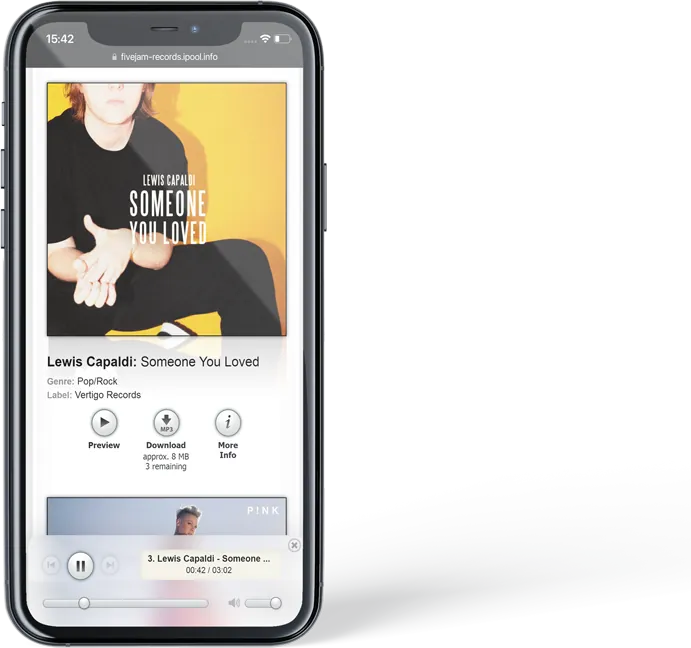
We have significantly optimized iPool’s compatibility with smartphones.
What this means is that starting now your recipients can access your iPool even more conveniently from their iPhone or Android smartphones to stream or download your music while riding the subway or from the comfort of their own living room.


iPool Version 5.5
Manage and control access to releases more easily and accurately.
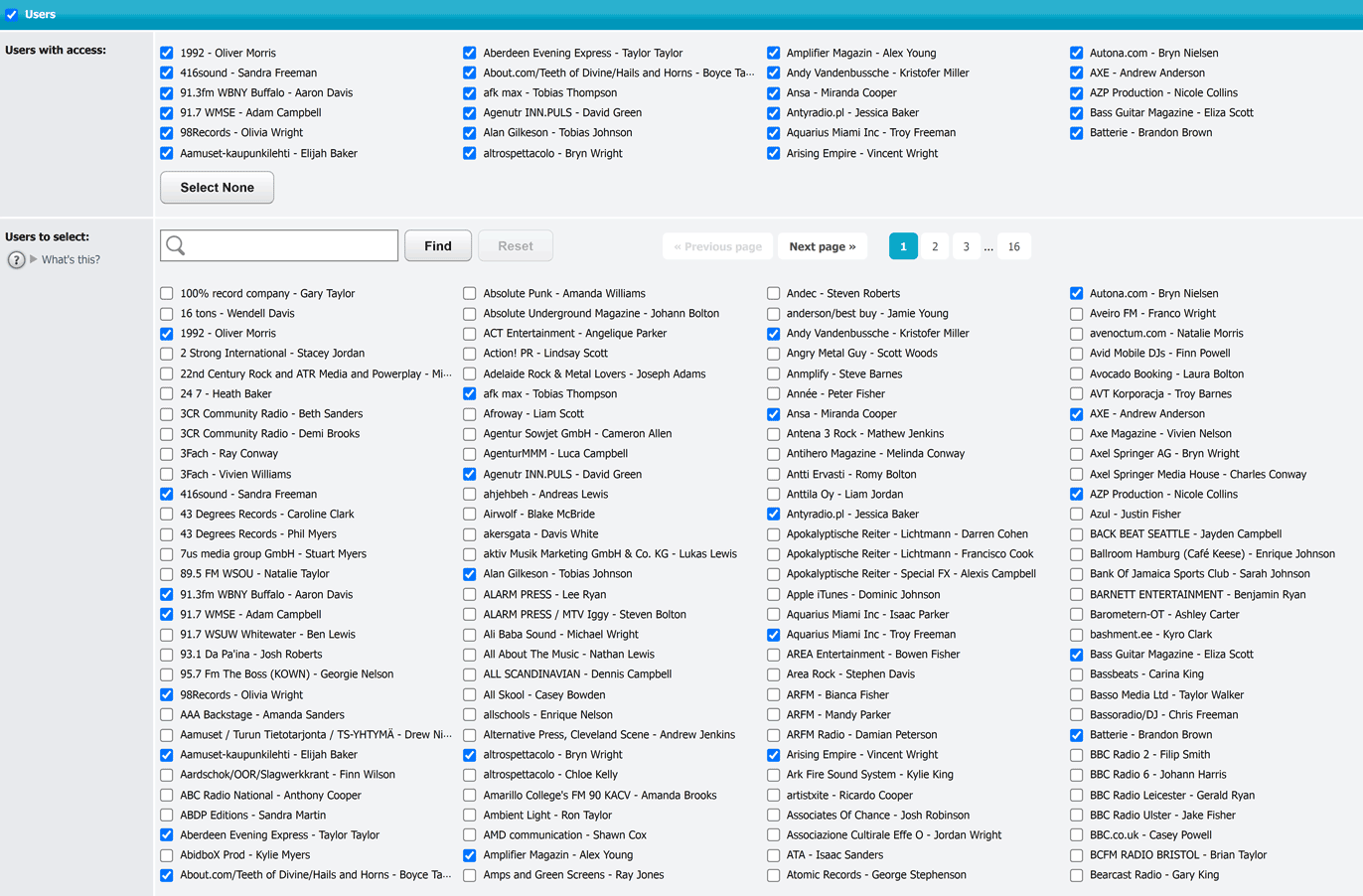
iPool access lists are an extremely valuable tool you can use for targeting your promotional activities with the utmost precision. They let you decide exactly who should be given access to each release. For example, you can grant access to specific user groups as well as to pools or those users with a preference for particular genres.
This latest version of iPool takes things one step further. From now on you can easily choose individual users for inclusion in the access list for any given release. Specifying who should have access to which releases has never been so accurate and easy to do.
A more streamlined way of sending an e-mail to a single recipient.
Go about sending an e-mail to a single user by going to Users > E-Mail just as you normally would. Then select a release whose cover or key facts, for instance, you want to insert in the e-mail. What’s new is that the access list for that release will automatically update so that the recipient will definitely have access to the release. This means no more worrying about whether the access list was properly configured ahead of time.
iPool Version 5.4
All of a release’s changes and newsletters at a glance.
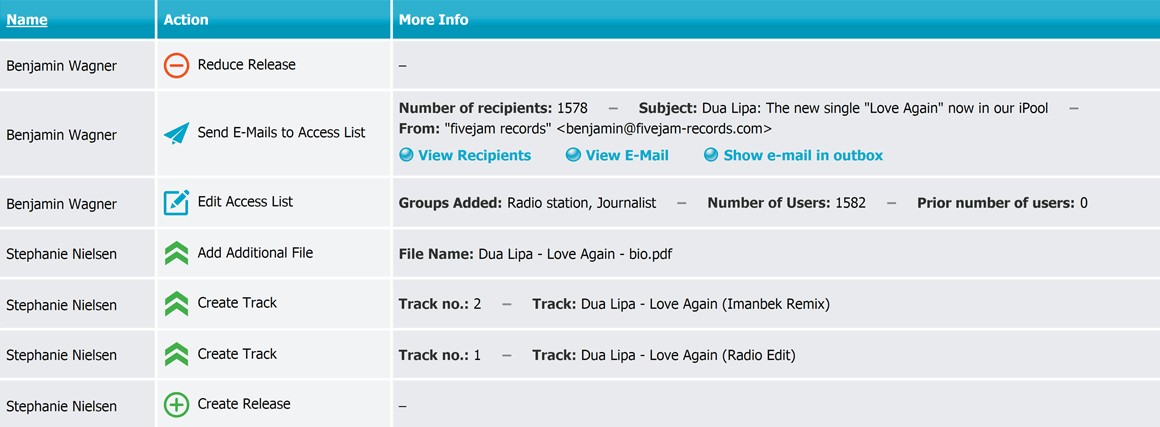
Starting now you can view a detailed history that shows the editing and newsletters that were made for each release. Here are a few things this enormously useful feature lets you do:
- Keep total track of your workflow at all times: Easily find out, for example, if you have already sent newsletters about a release and, if so, to which recipients.
- Improve collaboration within the team: See at a glance how and when which of your coworkers changed a release, added tracks, modified access lists or sent out newsletters.
- Easily identify changes to the access list: Now you can track when specific groups or pools were added or removed. And you can also see how many recipients were in the access list at any given time.
iPool Version 5.3
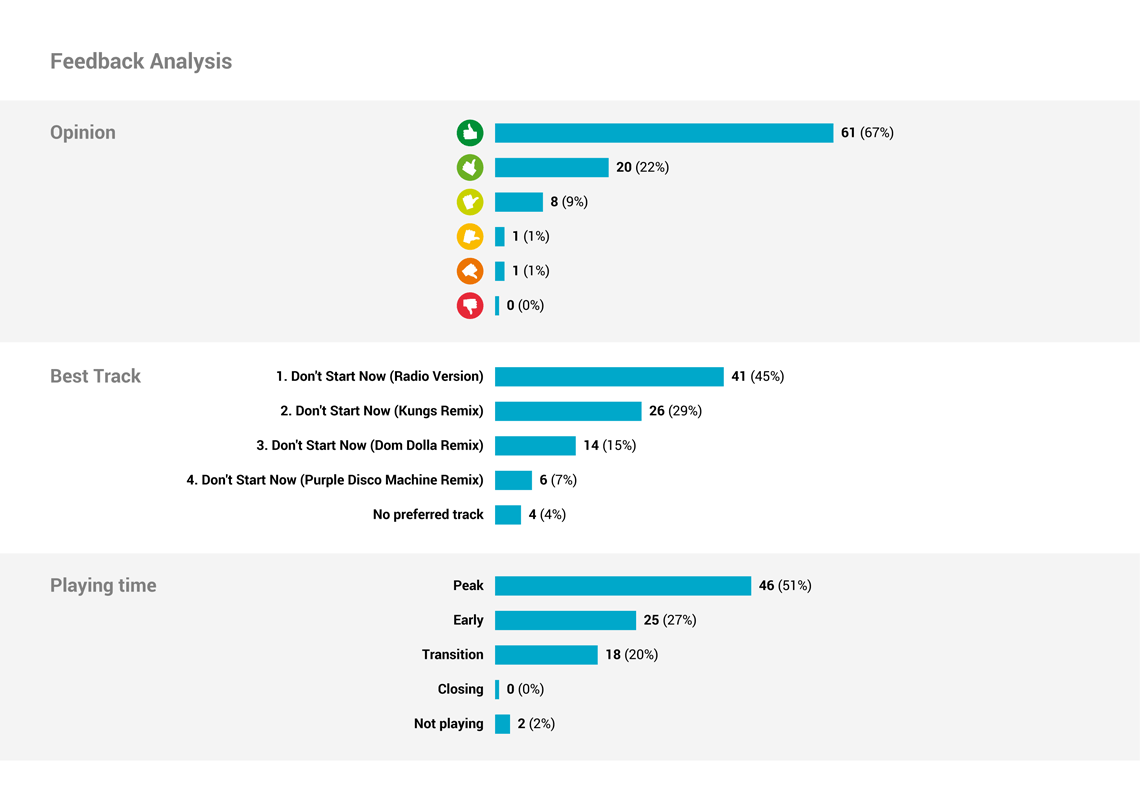
Create engaging feedback reports as a PDF file.
Starting now, and with just the click of a button, you can easily create clear and concise feedback reports as PDF files.
You will find this to be an extremely useful feature for sharing your recipients’ feedback with others, who do not have access to your iPool. And you can conveniently archive all the accumulated feedback on your computer.
Numerous options allow you to easily adapt the feedback reports to suit your individual desires:
- One thing you can do is specify in detail which elements you want to insert into the PDF feedback report. An example, if you wish, would be to insert the cover artwork and key facts about a particular release as a title page.
- You can also integrate a graphic feedback analysis as needed.
- Aside from that, you are also free to adjust the colors of the bar charts and column headings according to your personal preferences – and do much, much more.
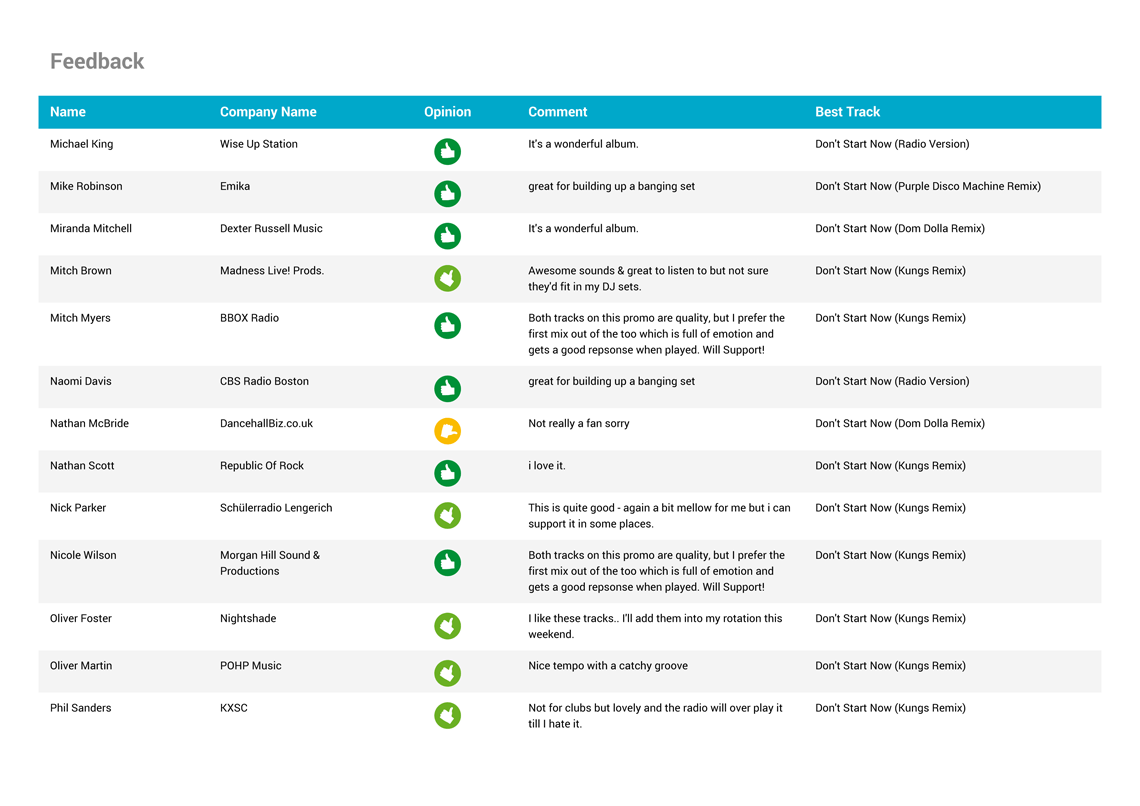
Export feedback as an Excel file
Starting now you can also download and save all of the accumulated feedback from your recipients as an Excel file on your computer.
Once downloaded, you can easily open and edit the file using such spreadsheet software as Excel or LibreOffice.
iPool Version 5.2
An even faster and easier way
to find releases.
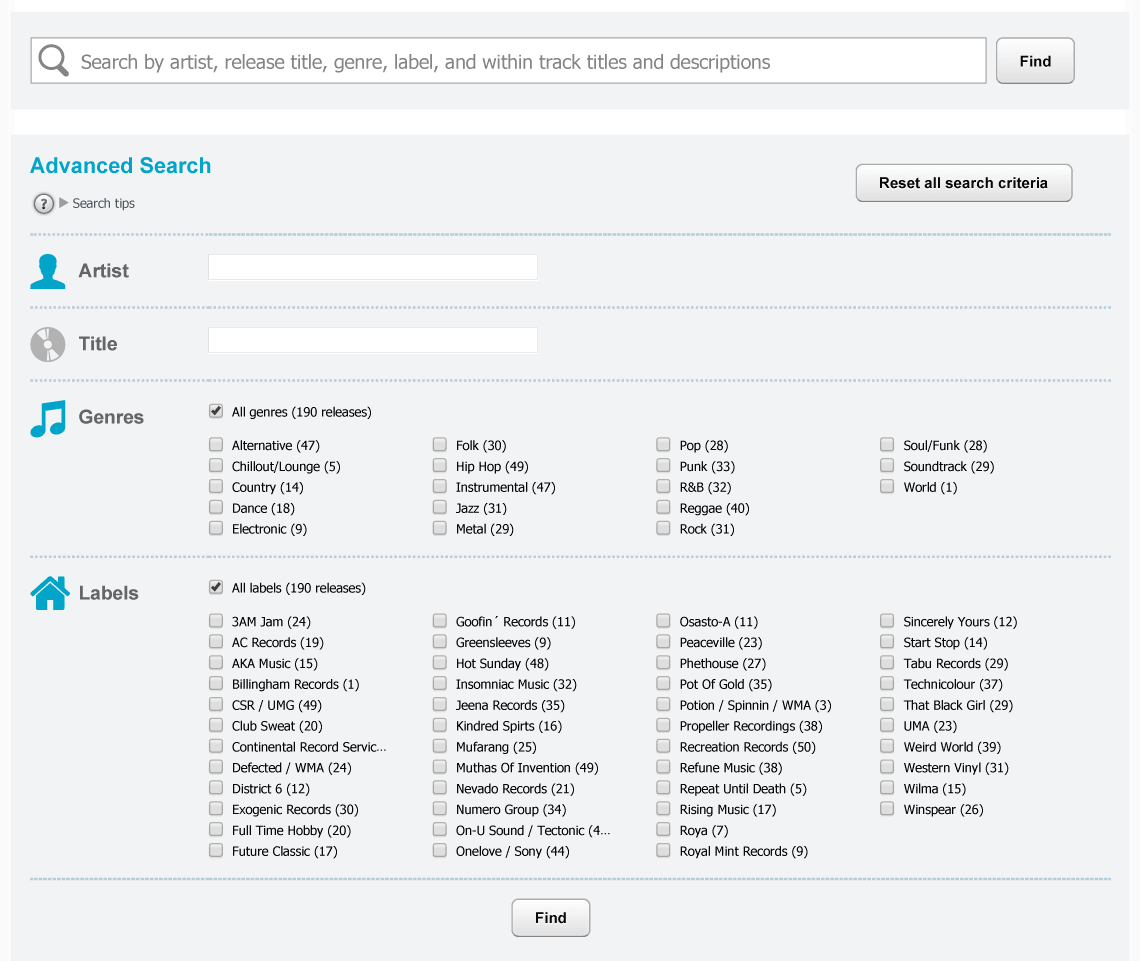
We have completely redesigned and added many new features to the releases search function. These make it a lot easier for you and your recipients to browse through your music catalog and find releases of interest.
-
All-encompassing search:
The big new search box will surely be the first thing you notice. You and your recipients can easily find releases with the help of this new text field. From now on, you will not only be able to search by artist and title, but by genre, label and even text within track titles and descriptions. -
Search suggestions:
Starting now, various suggestions will appear when you enter something in the text fields. -
Multiple genre and label selections:
Also from now on, you will be able to find releases from multiple genres or labels at one time. -
Number of releases:
A number indicating the quantity of releases within a given genre/label will now appear after each genre/label. Furthermore, only those genres/labels are displayed, which have actually been assigned or are in fact available to the respective recipient. -
Reset all search criteria:
There is now a new button in the upper right corner that lets you easily reset all search criteria. -
Modify search criteria:
Click the “Find” button and review the search results as usual. You will then see a new button above the search results that lets you easily and conveniently change the current search criteria.
Improved feedback design
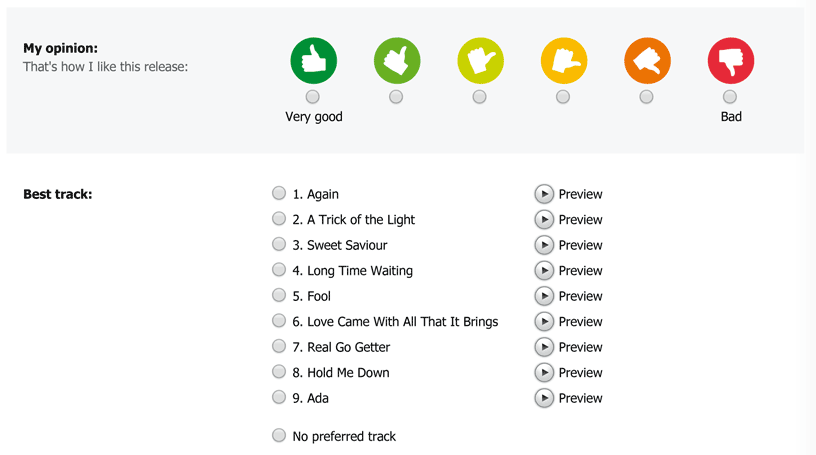
We have also given the graphic design of the “Submit Feedback” page a clearer and more modern look and feel.
Among other improvements, it includes new icons that also look outstanding on high pixel density screens (HiDPI or Retina displays). You will find these new icons on other feedback-related pages as well.